Case Study · DraftKings · Internal Tool
Sportsbook
Display Tool.
Redesigning "Mirage" — the internal tool that controls how sports, leagues, and events appear in the DK Sportsbook app.
Redesigning "Mirage" — the internal tool that controls how sports, leagues, and events appear in the DK Sportsbook app.
DK Sportsbook lets users bet on sport event outcomes. Behind the app, an internal tool called Mirage controls all the content the app displays — the order of sports, the leagues within them, and the events within each league. Most sports betting happen at the event level.
I joined in 2019, when sportsbook betting was only legal in New Jersey. As more states legalized it, each brought its own regulatory and seasonal display requirements — and Mirage needed a flexible design to keep up with the evolving changes.
Note: designs are presented as wireframe sketches, reconstructed from memory after departing DraftKings — the original project files weren't available to save.
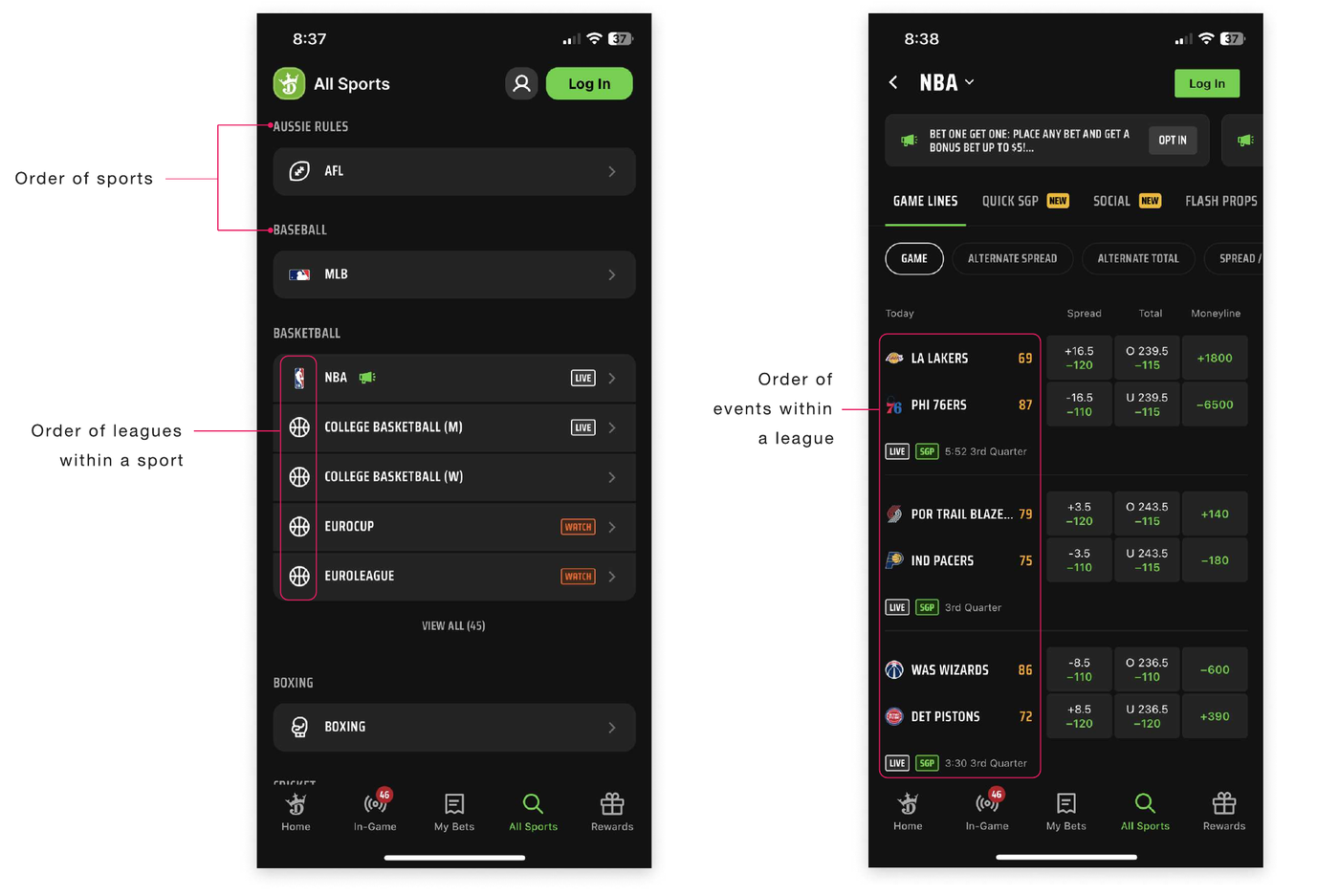
Two came from the development team — the third surfaced only after speaking directly with Mirage users.
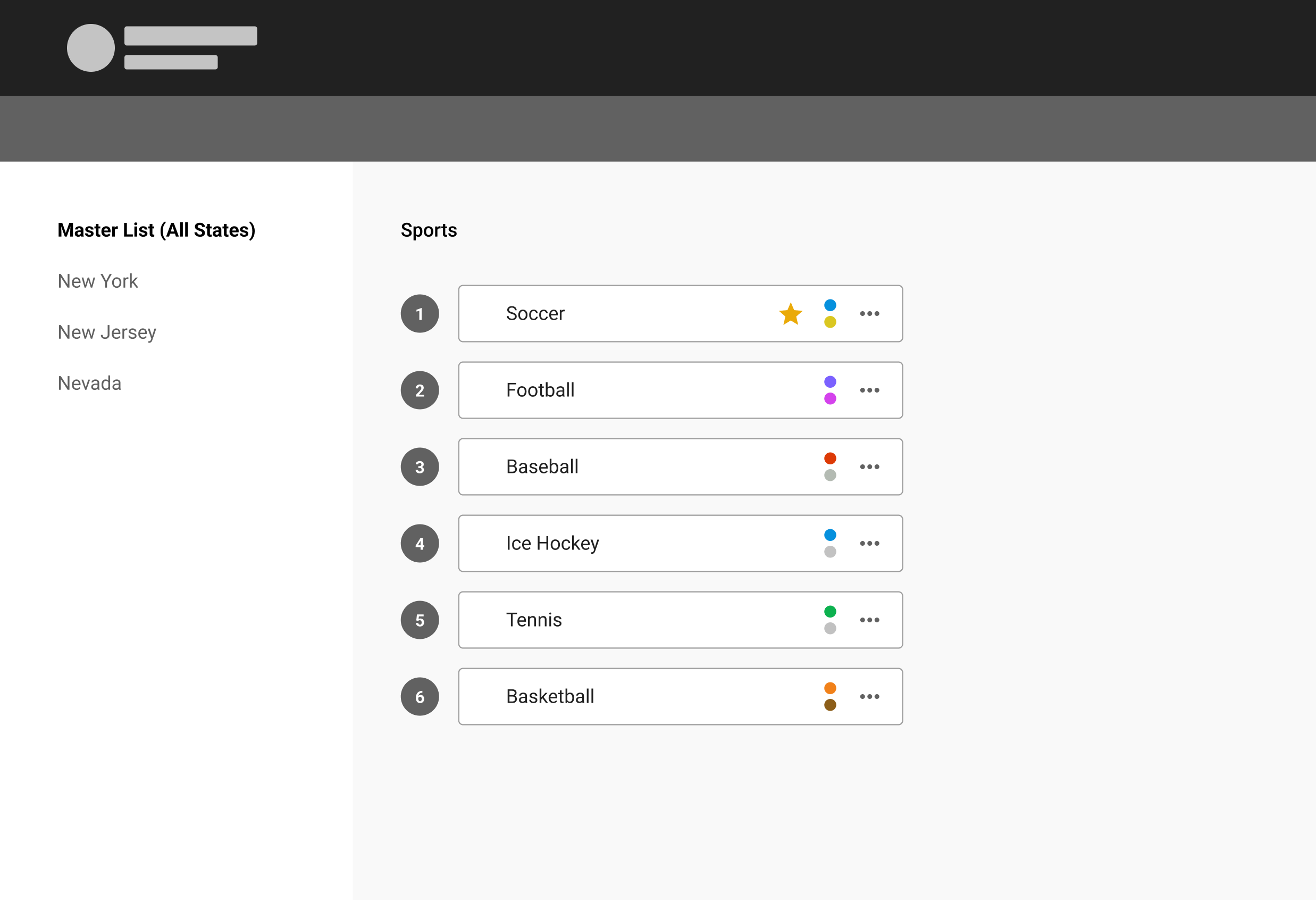
Let Mirage users set the order of sports, leagues, and events once, at a master level — applied across every state where DK Sportsbook operates.
When a state needs a different order, allow unlinking that state from the master list so it can be managed independently.
Uncovered in user interviews: the ability to rename sports, leagues, and events — nationally or per state. Users needed it but hadn't initially asked.
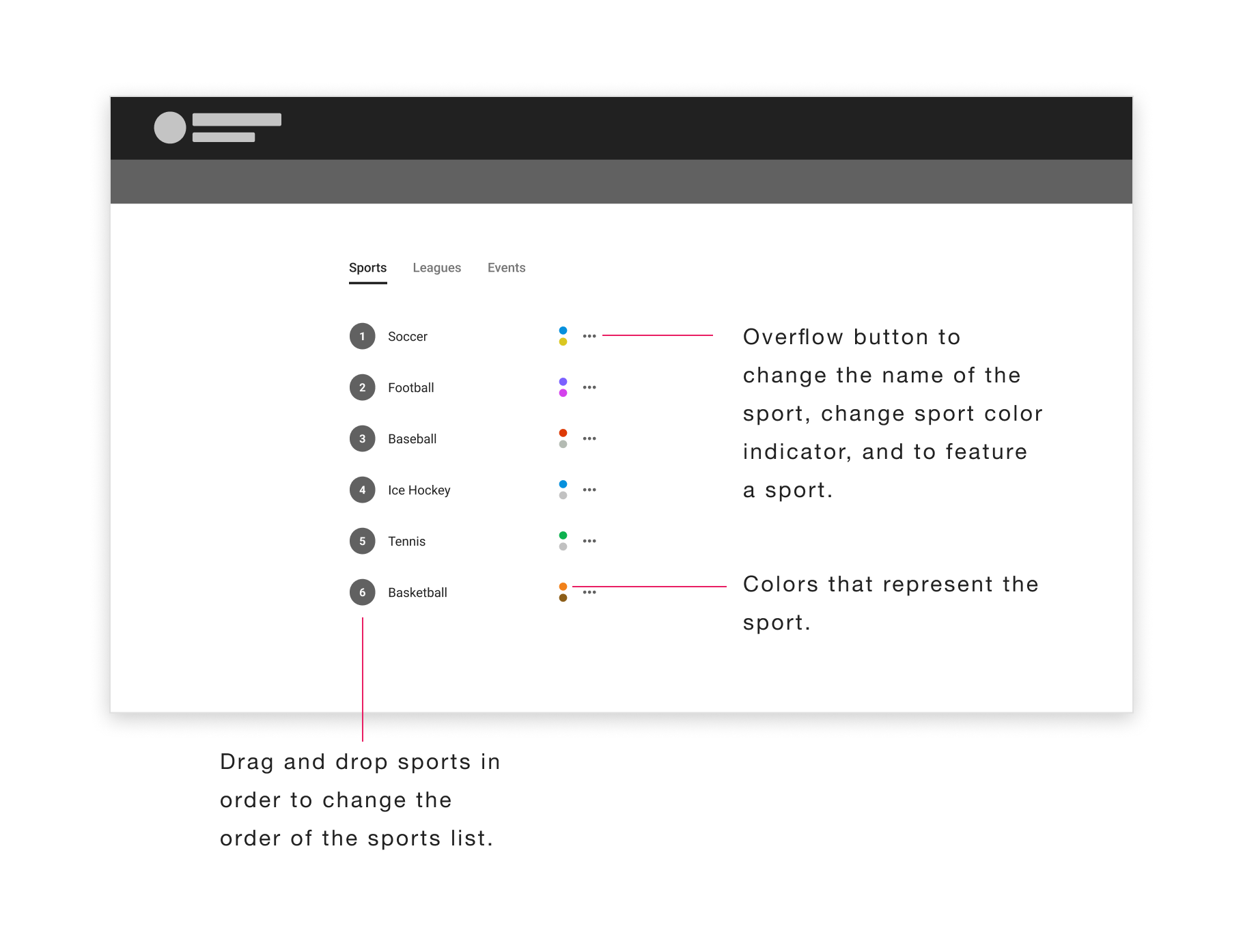
Built by developers without a dedicated UX designer. Reordering sports was simple enough — but arranging leagues and events was complicated and time-consuming, and the flow didn't scale for state-specific orders.
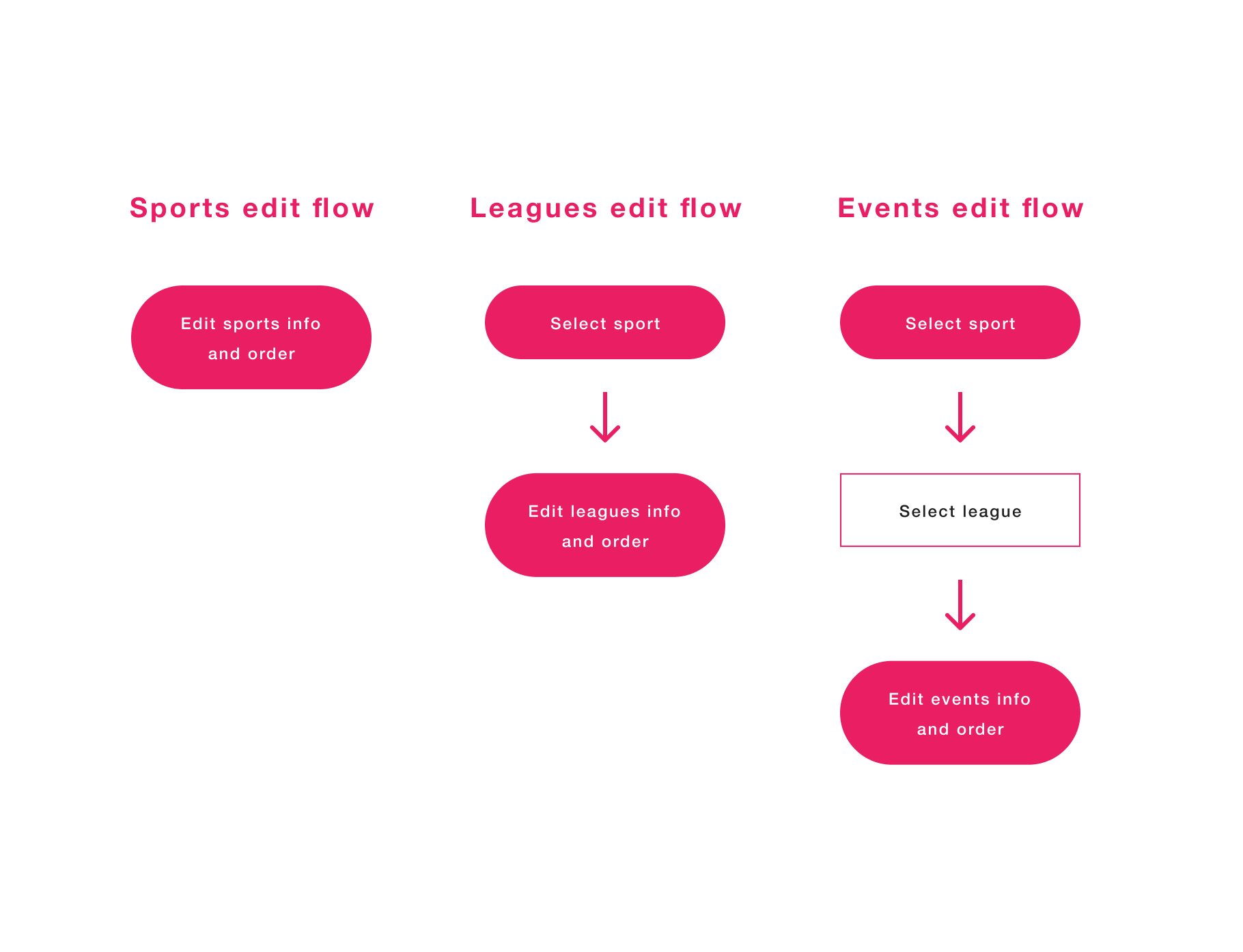
Mapping the current user flow revealed an elongated journey with three distinct starting points — one each for sports, leagues, and events — adding unnecessary complexity to every task.
After brainstorming, I proposed a single linear flow: edit sports, click into a sport, edit its leagues, click into a league, edit its events. One path, simple as that.
The linear structure didn't just simplify tasks for Sportsbook employees — it created the room to integrate every future U.S. state into the main ordering system.
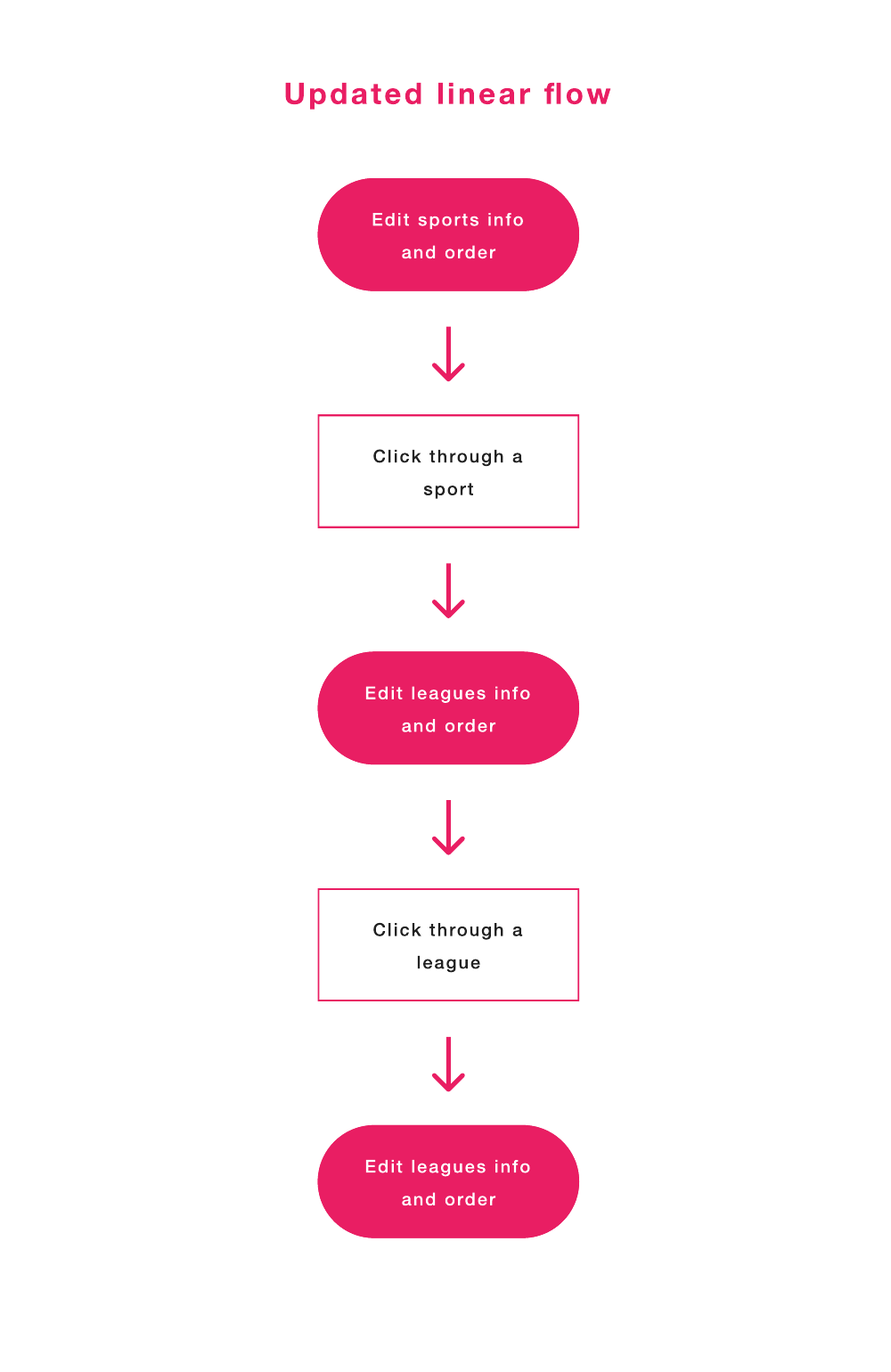
After multiple iterations and user testing of sketched ideas, I prototyped the final design in Principle — and testing confirmed unanimous agreement that it was the preferred solution.
The master list sets the order for all states, with breadcrumbs tracking your position as you drill from sports into leagues into events. Familiar interactions — drag-and-drop ordering, featured stars, sport colors — were retained from the original tool.
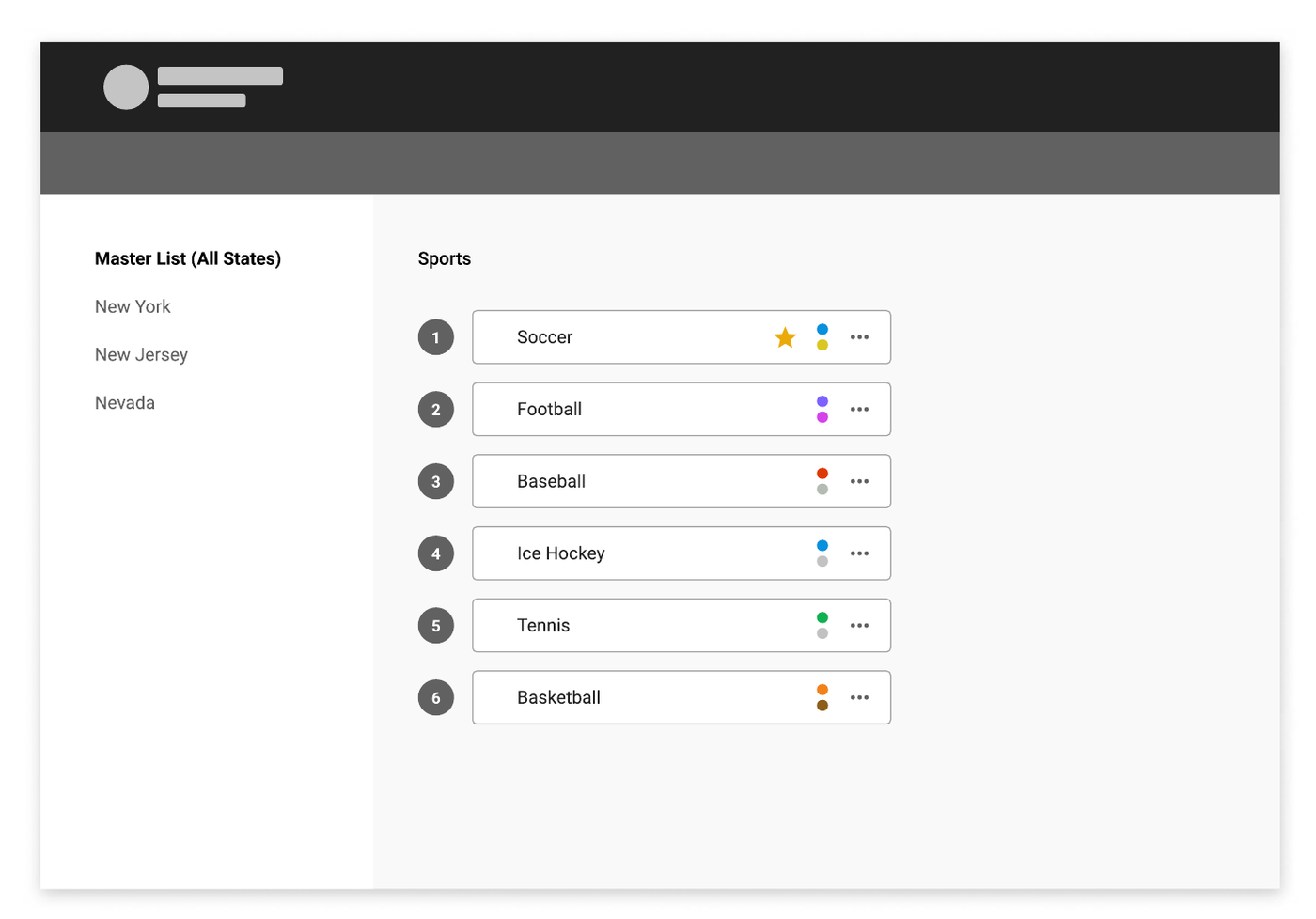
States follow the master list by default — and can break away when regulations demand it.
To customize a state, users must deliberately unlink it from the master list — with warning dialogs making the consequences clear before committing to the change.
Once unlinked, the state's number indicators turn red to signal it's no longer following the master order, and the action flips to a blue "relink to master" — giving users the option to go back to the master linked state.
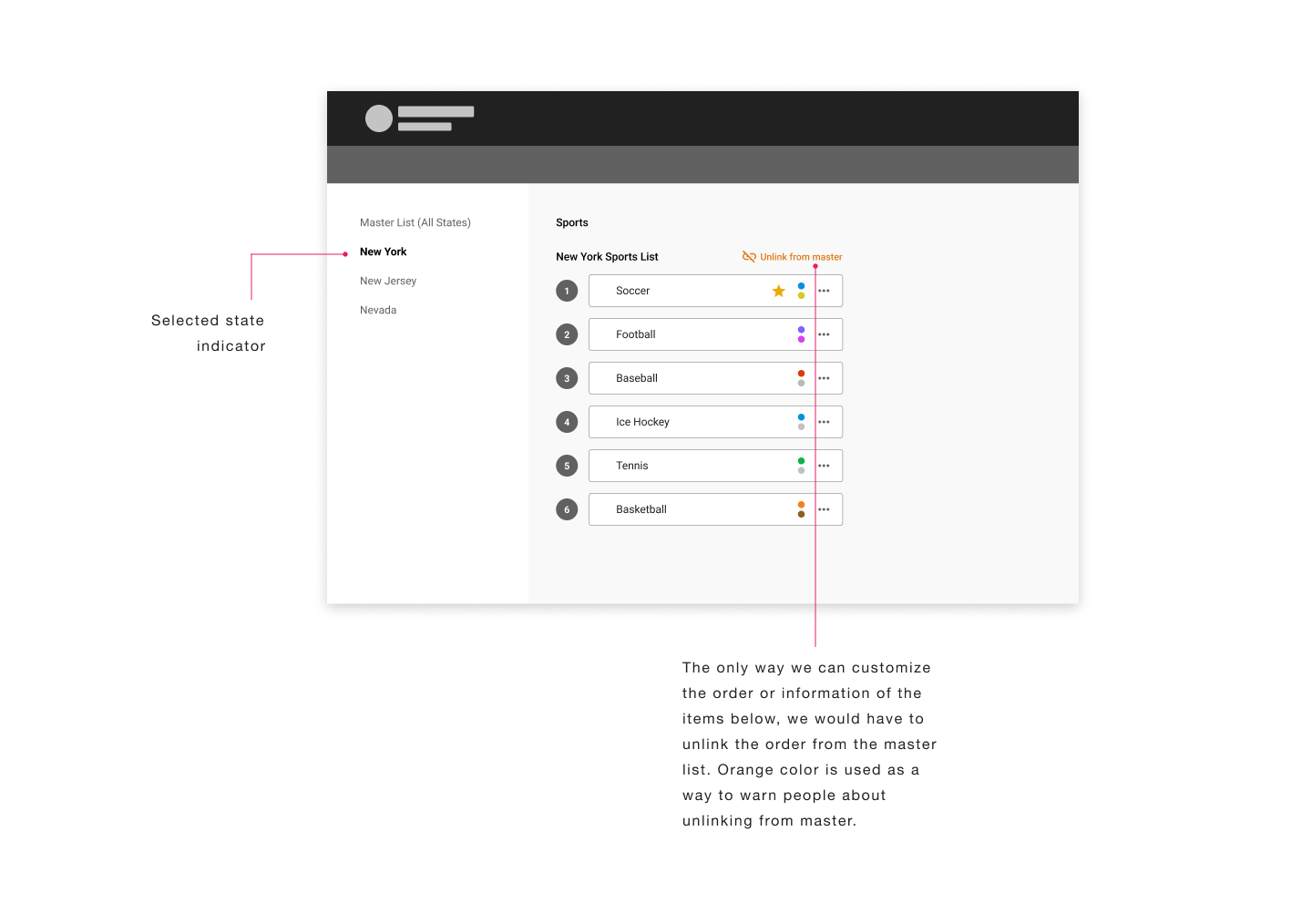
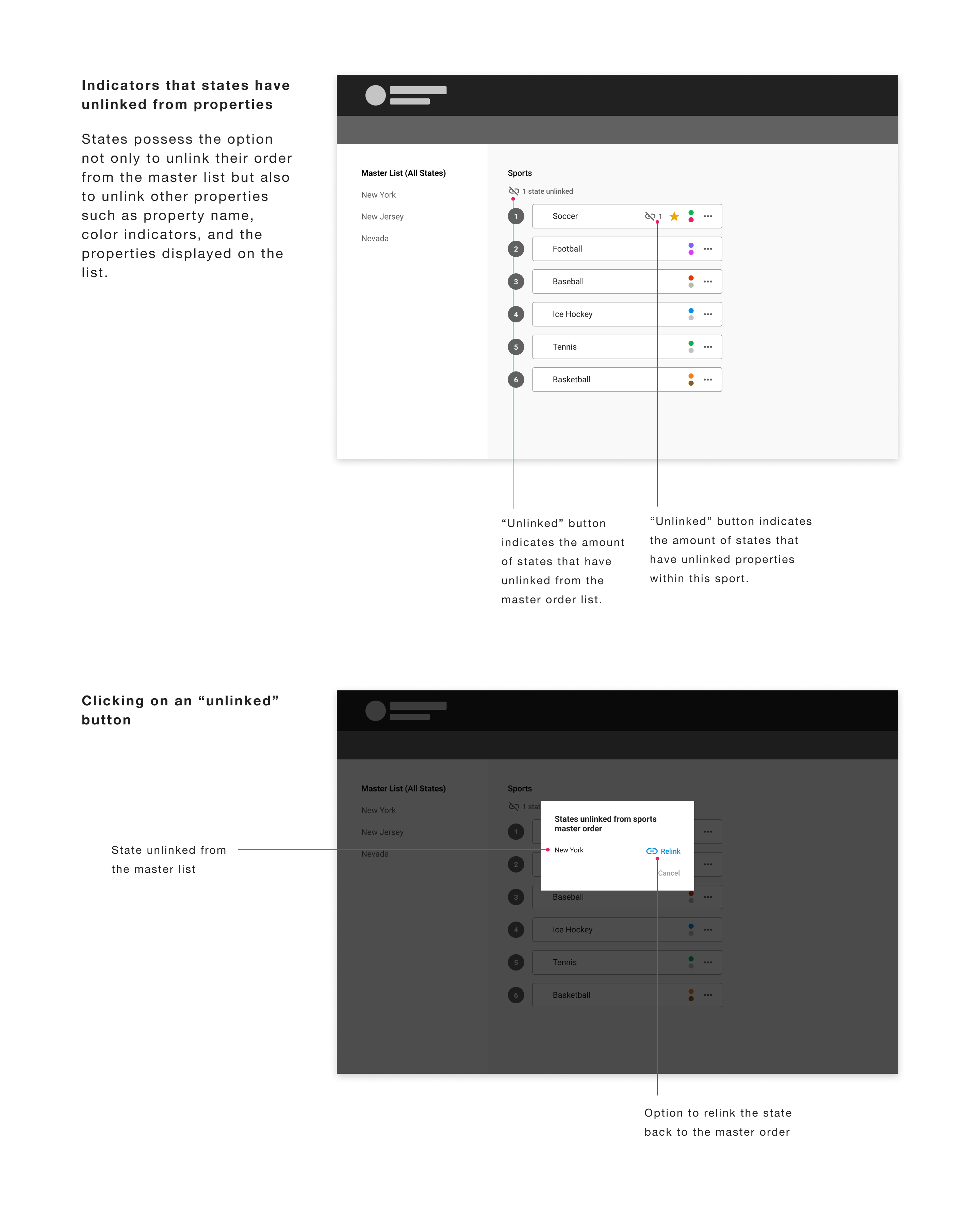
One linear system ready to absorb every newly legalized state, rather than a flow that broke with each addition.
Iterated through sketches and a Principle prototype — user testing confirmed unanimous preference for the new design.
Direct conversations with the tool's users surfaced needs they hadn't voiced — like renaming — and shaped the final solution.
Designing for an internal tool taught me the significance of aiding a small user group for a larger organizational benefit — and gave me the privilege of directly assisting the very users I was designing for.